
Published by SCOJO New York on Aug 4, 2026

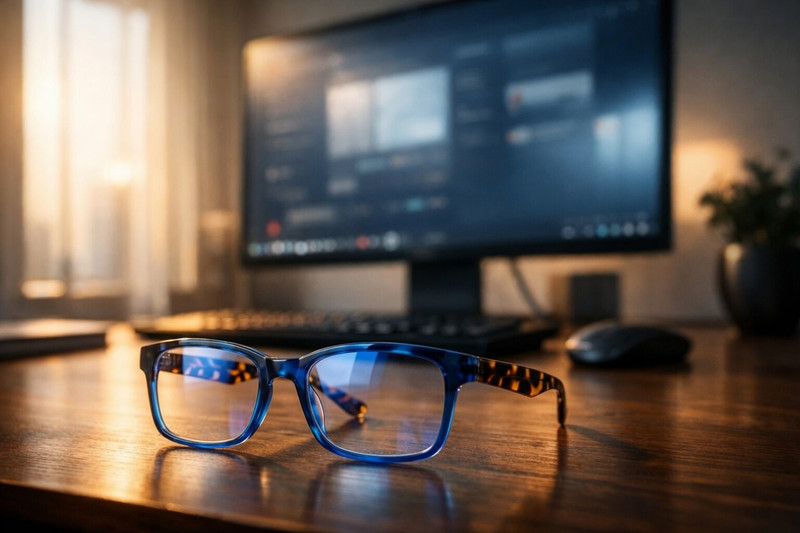
If your eyes feel exhausted, dry, or strained after a full day in front of your monitors, you are far from alone. According to data from the American Optometric Association (AOA), the average professional spends over seven hours a day staring at digital screens. Yet millions of workers attempt to solve this visual fatigue with standard off-the-rack reading glasses—unaware that those lenses are calibrated for reading books at 14 inches, not viewing monitors two feet away. Resolving this optical mismatch requires shifting to purpose-built computer reading glasses or specialized blue light glasses for eye strain engineered specifically for intermediate screen distances.
What is Digital Eye Strain?
Digital Eye Strain (DES), clinically known as Computer Vision Syndrome (CVS), refers to a group of vision problems caused by prolonged computer, tablet, and smartphone use. A comprehensive meta-analysis published in PubMed shows that CVS now affects 69.0% of screen users globally, with workplace studies finding symptom rates as high as 74% among remote and office workers.
Why does screen work cause so much fatigue compared to reading a printed page? Print features crisp, high-contrast character edges, whereas digital screens consist of glowing pixels with soft, feathered boundaries. As the Cleveland Clinic explains, your eyes must constantly make micro-fluctuations to keep pixelated text in focus, rapidly accelerating internal ciliary muscle fatigue.
5 Signs You Are Wearing the Wrong Glasses for Screen Work
1. Persistent End-of-Day Frontal Headaches
A dull, aching headache centered behind the eyes or across the brow line by mid-afternoon is a primary indicator of digital eye strain. When you use standard reading glasses (typically +1.75D to +2.50D) at a computer desk, you are forcing your eyes to over-accommodate. Standard readers are engineered for a focal distance of 14 to 16 inches. Wearing them while viewing a monitor located 24 inches away forces your ciliary muscles into a state of continuous isometric contraction, triggering muscle spasms and tension headaches, according to Lensmart Optical Insights.
2. Fluctuating Intermediate Vision Blur
If your desktop monitor appears crisp when you begin work at 9:00 AM but becomes hazy or blurry by 2:00 PM, your visual accommodation system is likely exhausted. Workers frequently try to solve this by increasing their screen's font size or zooming in, which only treats the symptom. Dedicated computer reading glasses supply the precise intermediate magnification needed (20 to 28 inches) to keep desktop text sharp without overtaxing the internal muscles of the eye, a phenomenon detailed by Bella Vision Optometry.
3. Postural Discomfort and "Computer Neck"
Visual strain frequently manifests physically as neck, shoulder, and back stiffness. When workers use standard reading glasses at a computer, they subconsciously perform the "Trombone Effect." Because the focal point of their glasses is too close, they must either lean forward awkwardly toward the monitor or tilt their chin upward to look through the bottom of their lenses. The OC Optometry Group highlights that this poor ergonomics places severe strain on the cervical spine, leading to chronic upper body tension.
4. Heightened Glare Sensitivity and Squinting
Squinting is an involuntary reflex to reduce the amount of light entering the eye and to temporarily alter the shape of the cornea for better focus. Prolonged squinting causes facial tension and signals that high-energy visible (HEV) blue light and screen glare are overstimulating your retinas. Utilizing blue light glasses for eye strain equipped with anti-reflective coatings helps neutralize ambient office reflections and harsh screen contrast.
5. Dry, Burning, or Watery Eyes
Intensive screen concentration causes your blink rate to plummet. A study published in Clinical Optometry found that a normal resting blink frequency drops precipitously from 15–20 blinks per minute down to just 3–7 blinks per minute during computer work. This massive reduction leads to rapid tear film evaporation and dry, scratchy eyes. Often, the eyes will try to overcompensate for this dryness by producing excess reflex tears, temporarily causing watery, distorted vision.
Standard Reading Glasses vs. Computer Readers
The crucial difference between standard reading glasses and specialized computer readers comes down to working distance physics and lens coating technology.
|
Feature |
Standard Reading Glasses |
Computer Blue Light Readers |
|---|---|---|
|
Focal Distance |
Near (14–16 inches / 35–40 cm) |
Intermediate (20–28 inches / 50–70 cm) |
|
Primary Target |
Books, smartphones, menus |
Desktop monitors, laptops |
|
Diopter Power |
Higher (e.g., +2.00D) |
Lower (e.g., +1.00D to +1.50D) |
|
Lens Coatings |
Standard / Basic |
Anti-Reflective (AR) + Blue Light Filtering |
Because lens power is inversely proportional to focal length, an object further away requires less magnification. Optometric clinical guides recommend reducing your standard reading glass magnification by approximately 0.50 to 1.00 diopters when selecting computer readers to achieve optimal clarity at intermediate monitor distances.
Upgrading Your Visual Ergonomics
Solving digital eye fatigue is not just about taking quick screen breaks—it starts with upgrading to high-quality, purpose-built eyewear. Heavy or poorly fitted frames create uncomfortable pressure points across your nose and temples, compounding the headaches associated with screen fatigue.
Eyewear specialists like SCOJO New York engineer optical solutions tailored specifically for intermediate screen distance and digital comfort. Their SCOJO New York Gels BluLite Collection features ultra-lightweight, rimless frames crafted from surgical-grade materials that eliminate nose-bridge pressure during long work sessions. Most importantly, their precision-molded lenses eliminate edge-of-field distortion—a critical advantage when toggling across dual monitors—while filtering high-energy blue light and reducing screen glare without shifting natural colors.
Conclusion
Continuing to rely on standard reading glasses for intensive computer work guarantees unnecessary discomfort. If you regularly deal with afternoon headaches, screen glare, or dry eyes, your current glasses are failing your visual needs. Transitioning to dedicated computer blue light readers provides the exact intermediate magnification and anti-glare filtering your eyes need—helping you work comfortably, maintain healthier posture, and preserve your long-term visual health.